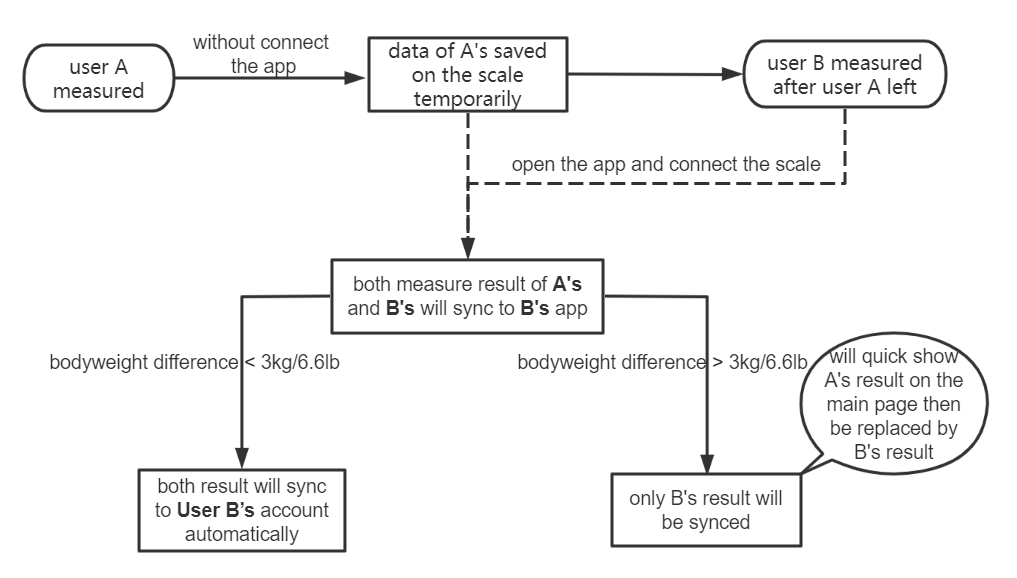
If multiple users feel it is inconvenient to record weight measurements under the same account, each of them can download the EufyLife app and register their own account on their own phone to record the data. However, eufy Smart Scale can only connect to one account/device at a time. When another person tries to connect the scale to his/her account/device, the user who has already connected this scale to his/her account/device will need to disconnect the Bluetooth/exit and close the EufyLife app on his/her device, then the other person can connect the scale to his/her account/device. The data will be synced to the account/device that is connected to the scale.
It is recommended that the user opens the app first to ensure a "Connected" status before weighing to make sure that the measurement data can be synced to the device/account.
See the following flow chart: