To activate the RoboVac, users must turn on the main power switch first, then press the start button on the top panel of the RoboVac.
If your RoboVac can be charged normally (showing a solid blue light when it is fully charged) but does not start cleaning when you press the start/pause button, please try the following troubleshooting steps to verify if the issue can be resolved:
1. Make sure the main power switch (on the side of the RoboVac) is turned on.
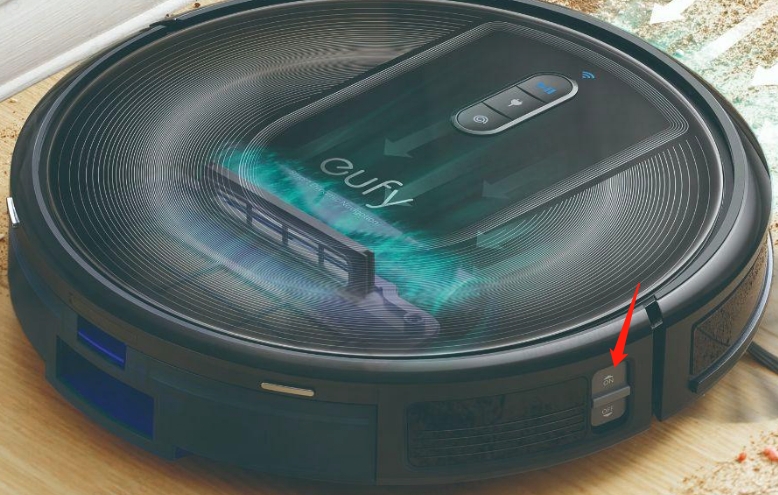
2. When toggling the power switch to the “ON” position, you will hear a starting alert. If you do not hear a starting alert, please toggle the power switch off and on a few more times, and at the same time, tap the RoboVac (with the RoboVac's rolling brush facing the floor) to dislodge any dust that may have been stuck in the power switch.
If these troubleshooting steps did not resolve your issue, please email eufy support with a video showing what happens when you toggle the main power switch for further assistance.


