If your S2 base station displays Error 6119: "Base Station Dust Collection Duct Blocked," it may be caused by a full dust bag, accumulated debris, or reduced suction through the air duct. Follow the steps below to troubleshoot and restore normal operation.
Step 1: Check and Replace the Dust Bag
-
Remove the clean water tank from the base station.
-
Open the dust collection cover and remove the dust bag.
-
Inspect the dust bag.
-
If the bag is full, replace it with a new one before continuing.

Step 2: Clean the Dustbin and Filter
-
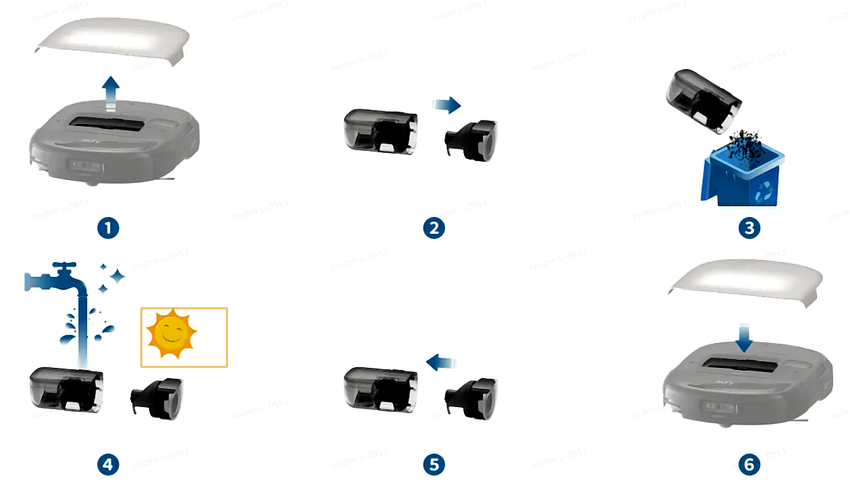
Remove the robot dustbin and clean it thoroughly.
-
Ensure the dustbin and rear dust collection ports are free from debris or blockages.
-
For detailed cleaning instructions, refer to the maintenance video [Video: https://youtu.be/pkMyDZ9ZZDs].
Step 3: Clean the Base Station Dust Collection Port
-
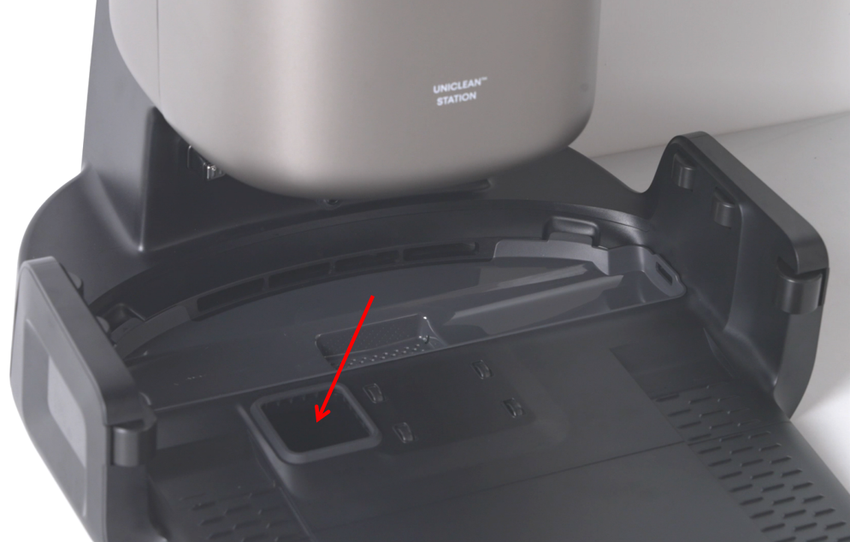
Inspect the base station’s dust collection air duct and port for foreign objects or blockages.
-
Clean carefully to ensure unobstructed airflow.
-
After cleaning, initiate a dust collection cycle to confirm normal operation.
Step 4: Adjust Dust Collection Mode for Homes with Pets
-
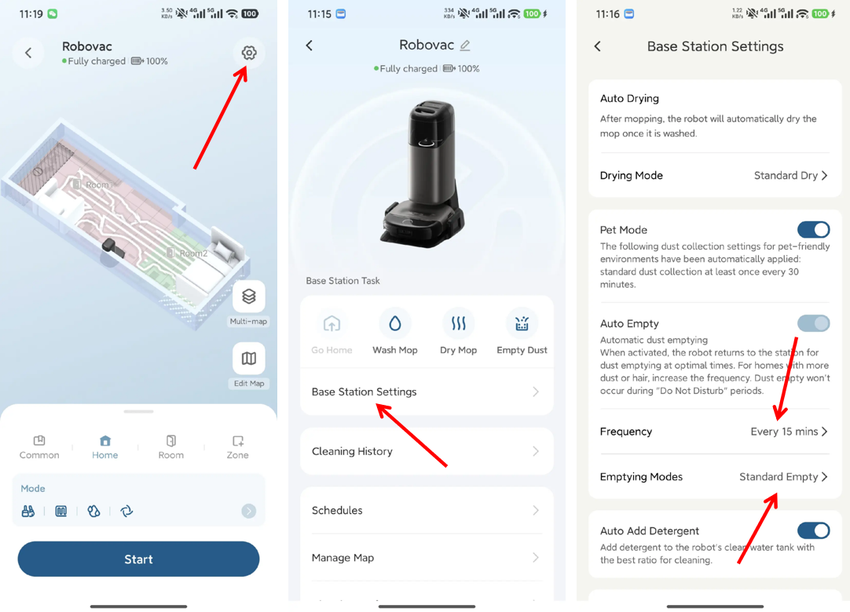
If you have pets or frequent hair buildup, switch the base station’s dust collection mode to Standard Mode.
-
You can also increase dust collection frequency to reduce the risk of blockages.
Following these steps will help clear the dust collection duct and restore proper base station function.
If you have any additional questions or need further assistance with your S2 robot, please do not hesitate to contact our support team.


