If your S2 robot produces unusual or abnormal sounds during operation, follow the steps below to identify and resolve the issue.
Noise During the Cleaning Process
-
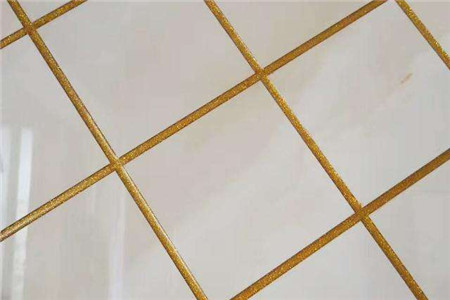
Floor Gap Noise
When cleaning tiled or wooden floors with large seams, the omni-directional wheel may produce a rhythmic "da-da-da" clicking sound.
This is a normal design-related mechanical noise and disappears on smooth, flat surfaces.
Note: It is recommended to schedule cleaning tasks when you’re away to minimize disturbance.
-
Roller Brush Cover Installation
-
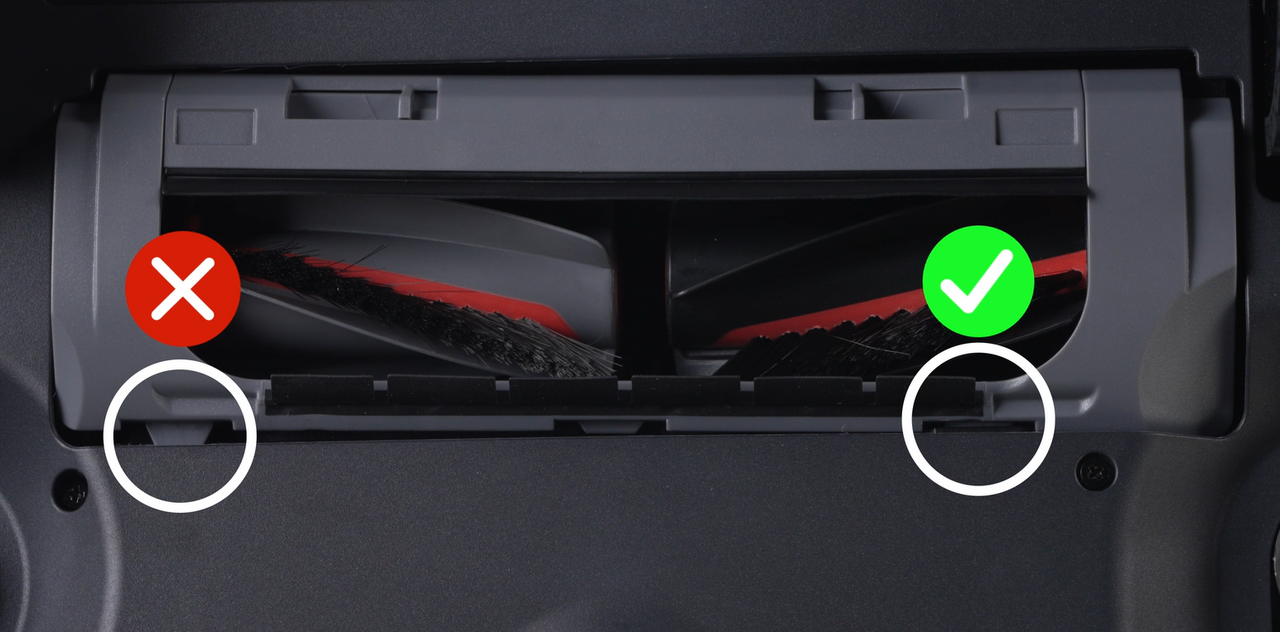
Ensure the roller brush cover is installed correctly.
-
Incorrect installation can cause scraping or unusual noises.
-
Foreign Objects in the Roller Brush Chamber
Remove debris, hair, or other objects from the roller brush chamber to prevent friction noise.
-
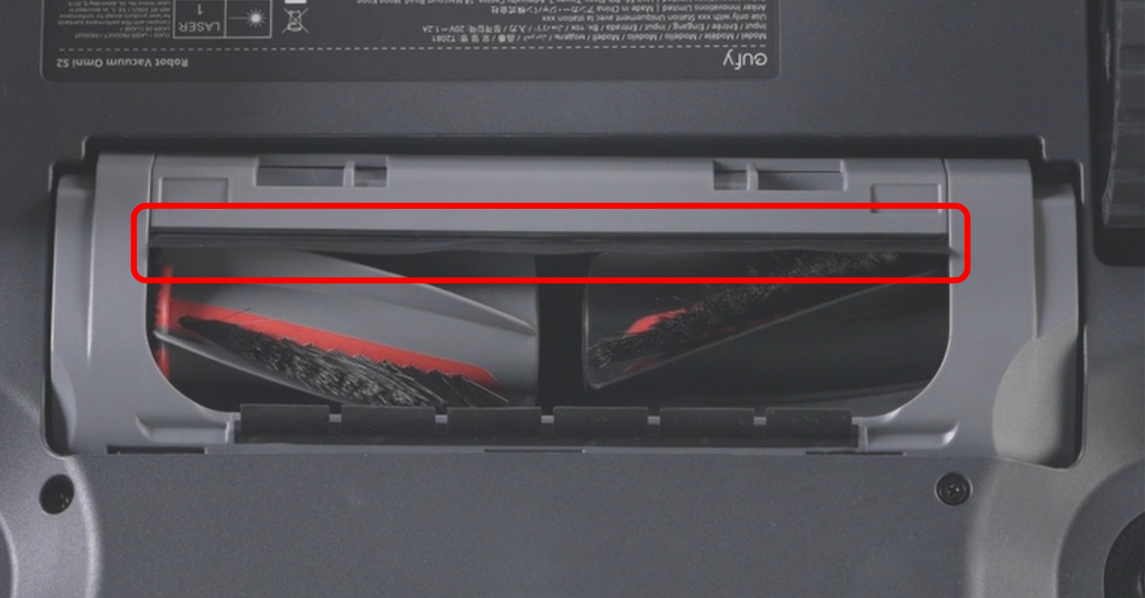
Damaged Roller Brush Scraper Strip
If the rubber scraper strip is torn or detached, reinstall or replace it to eliminate scraping noises.
-
Omni-Directional Wheel Maintenance
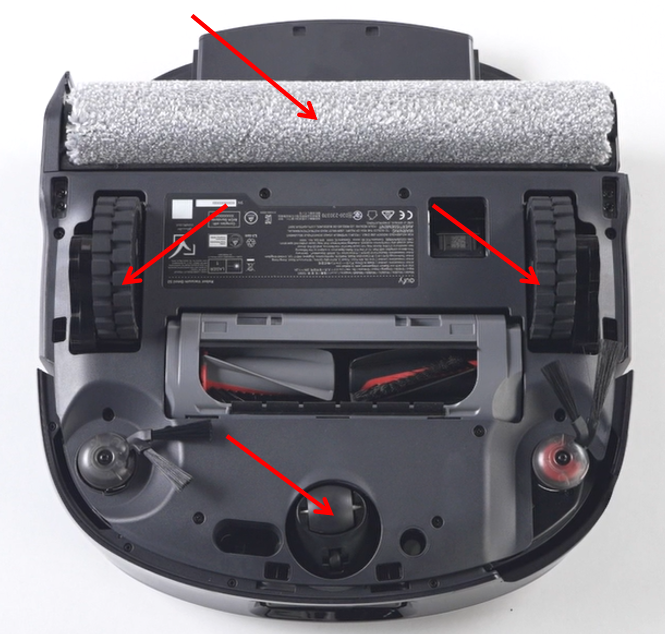
Remove and clean the omni wheel if it feels stiff or has dust/hair buildup, then reinstall.
Check whether the noise persists after cleaning.
-
Driving Wheel Inspection
Manually rotate both driving wheels to ensure there is no blockage or resistance.
Clean thoroughly if necessary.
-
Cleaning Roller Maintenance
Remove the roller mop and clean any dirt or debris inside before reinstalling.
-
Dustbin or HEPA Filter Blockage
A clogged dustbin or HEPA filter can increase internal fan noise.
Clean both components carefully to restore normal airflow.
Noise During Mop Washing
-
Normal Pump Operation
A periodic sound occurring every 40–80 seconds for about 10 seconds is normal.
This is the robot pump drawing dirty water into the tank to ensure proper brush cleaning.
-
Persistent Rhythmic Noise
If the "da-da-da" sound continues after performing all maintenance steps:
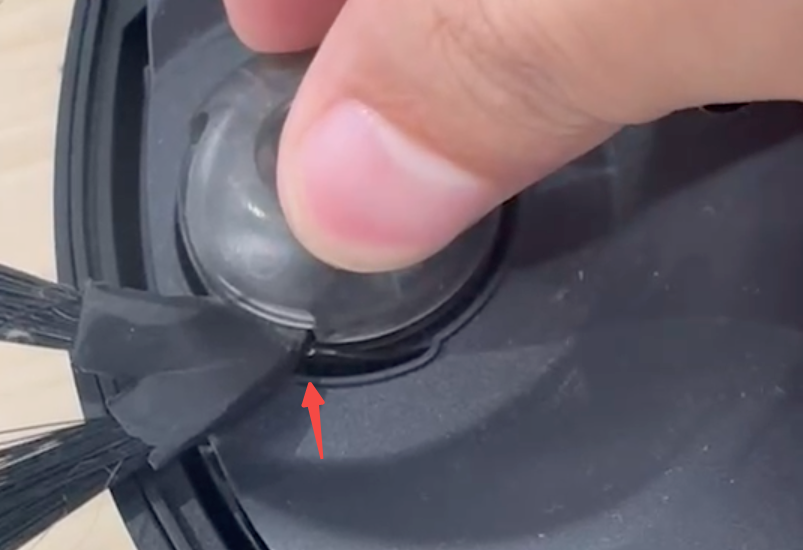
Check whether the noise is coming from the side brush area.
Deformed side brush bristles may interfere with the robot’s bottom.
Replace the side brush if it has been used for over 180 hours.
-
Sharp Noise During Mop Washing in the Base Station
A high-pitched whistling sound may occur when the robot washes the mop or drains wastewater.
This is caused by high-frequency vibration of the dirty water reservoir duckbill valve.
-
Optimal Manual Adjustment:Remove the dirty water reservoir and open the cover.
-
Locate the two duckbill valves.
-
Carefully separate the middle duckbill valve approximately 4 mm to reduce vibration.
-
Remove the metal filter and similarly create a 4 mm gap.
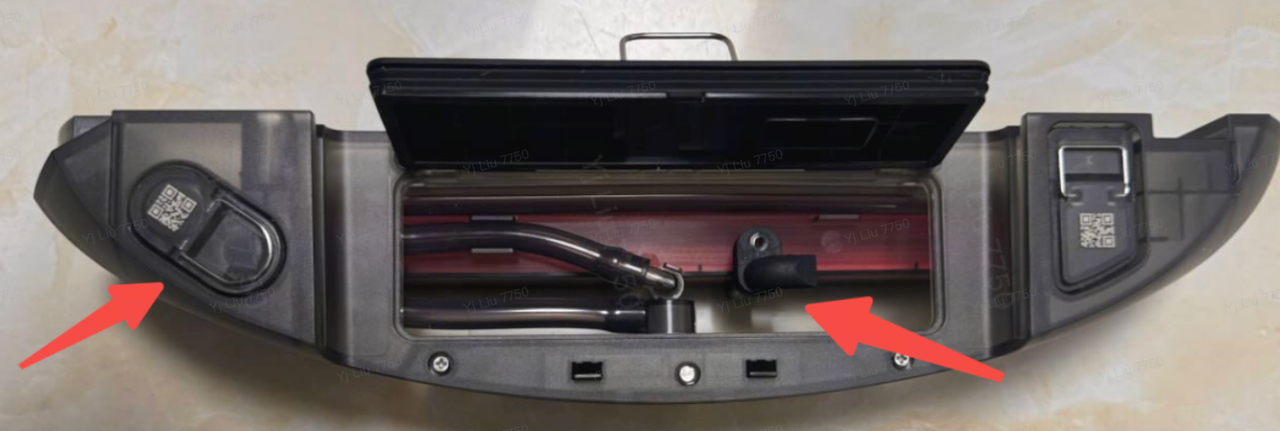
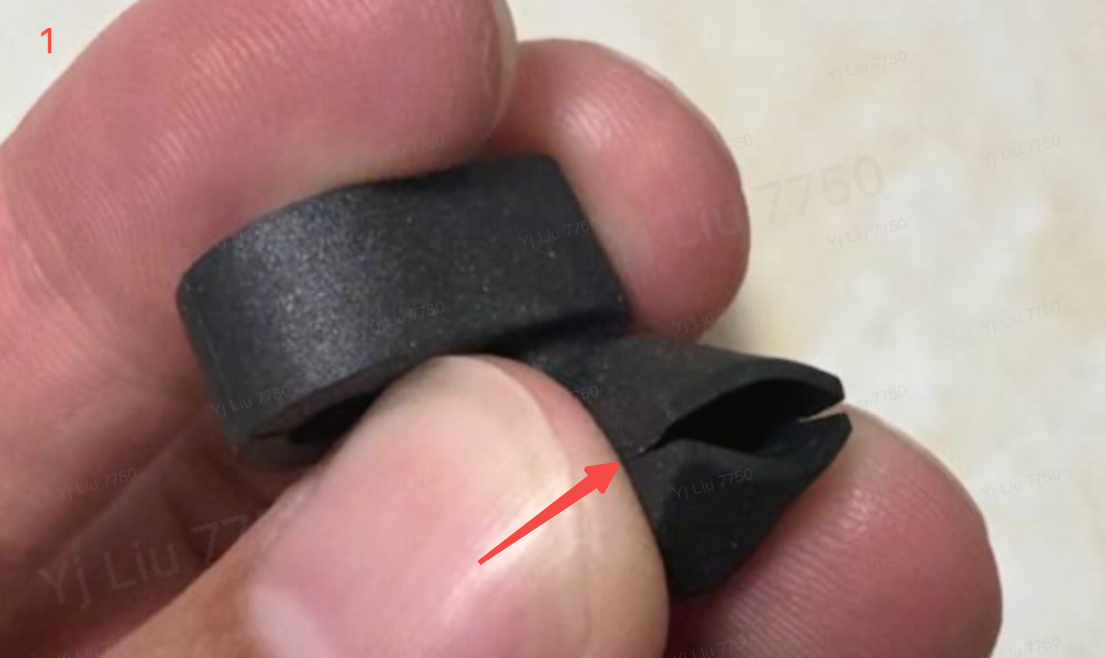

Following these steps will help identify and resolve unusual noises during cleaning, mop washing, or operation in the base station.
If you have any additional questions or need further assistance with your S2 robot, please do not hesitate to contact our support team.


