Details
Related Articles
Manuals & Downloads
Support Videos
How to delete your eufy Clean account for your E25/E28?

Here are the instructions on how to delete your account/data:


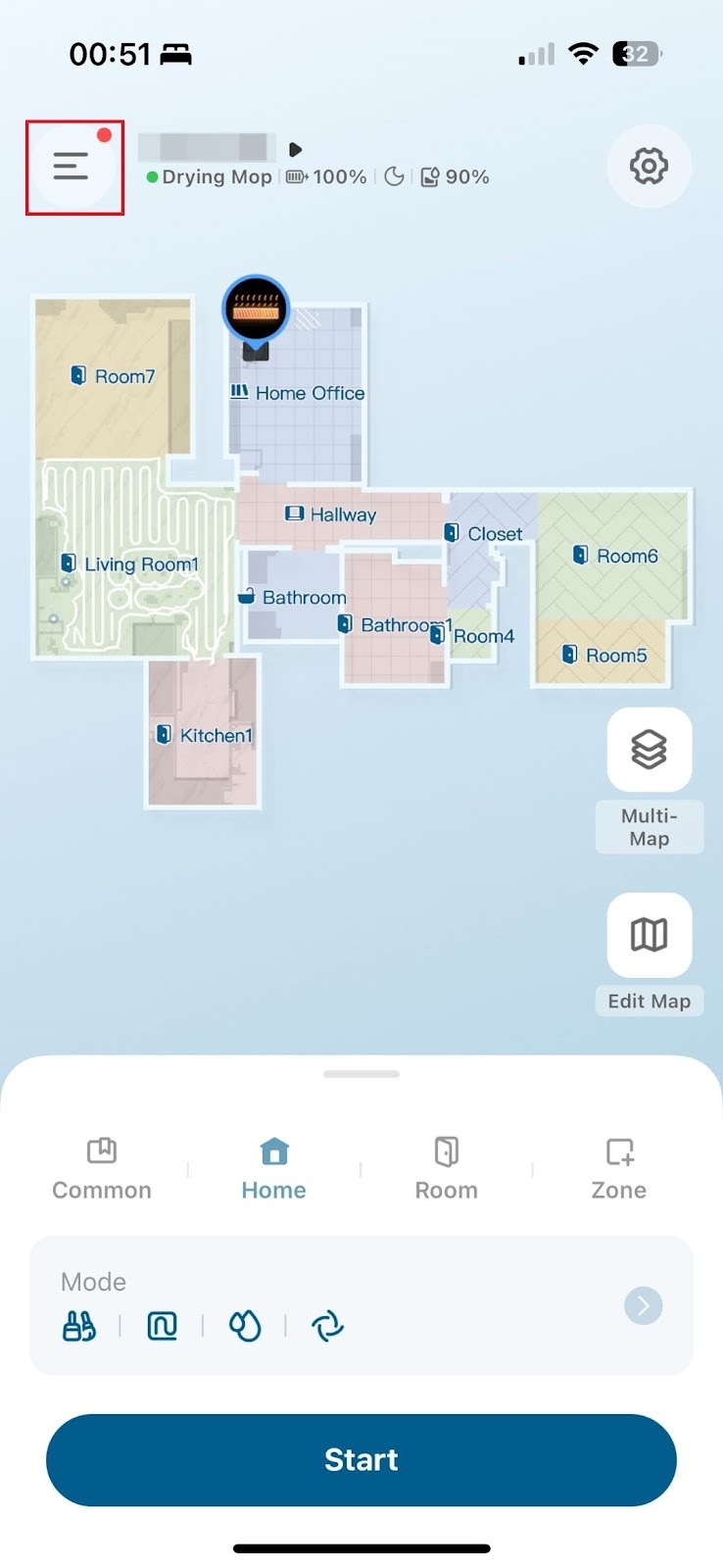
  1. Click the top-left icon to open the side menu.


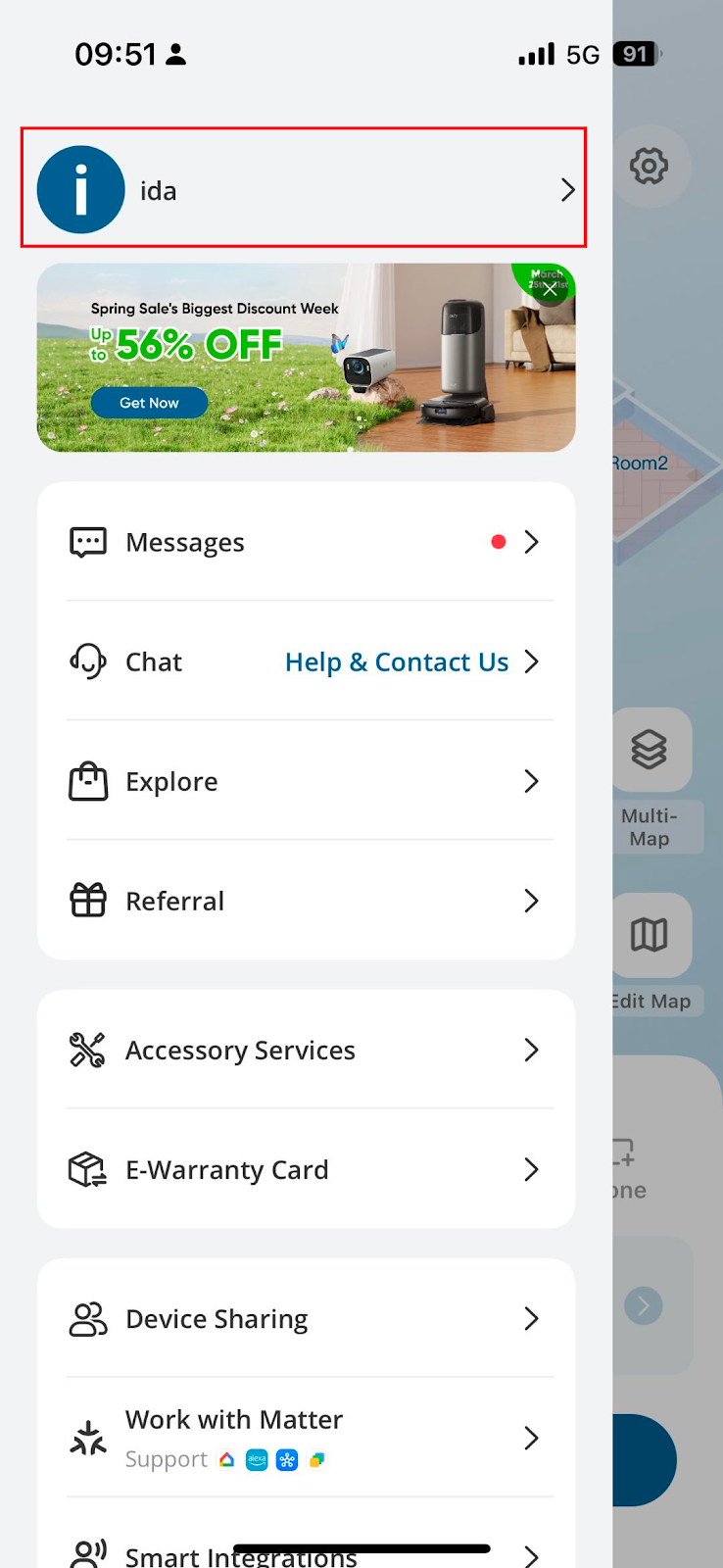
2. Click your Account to enter the account settings.


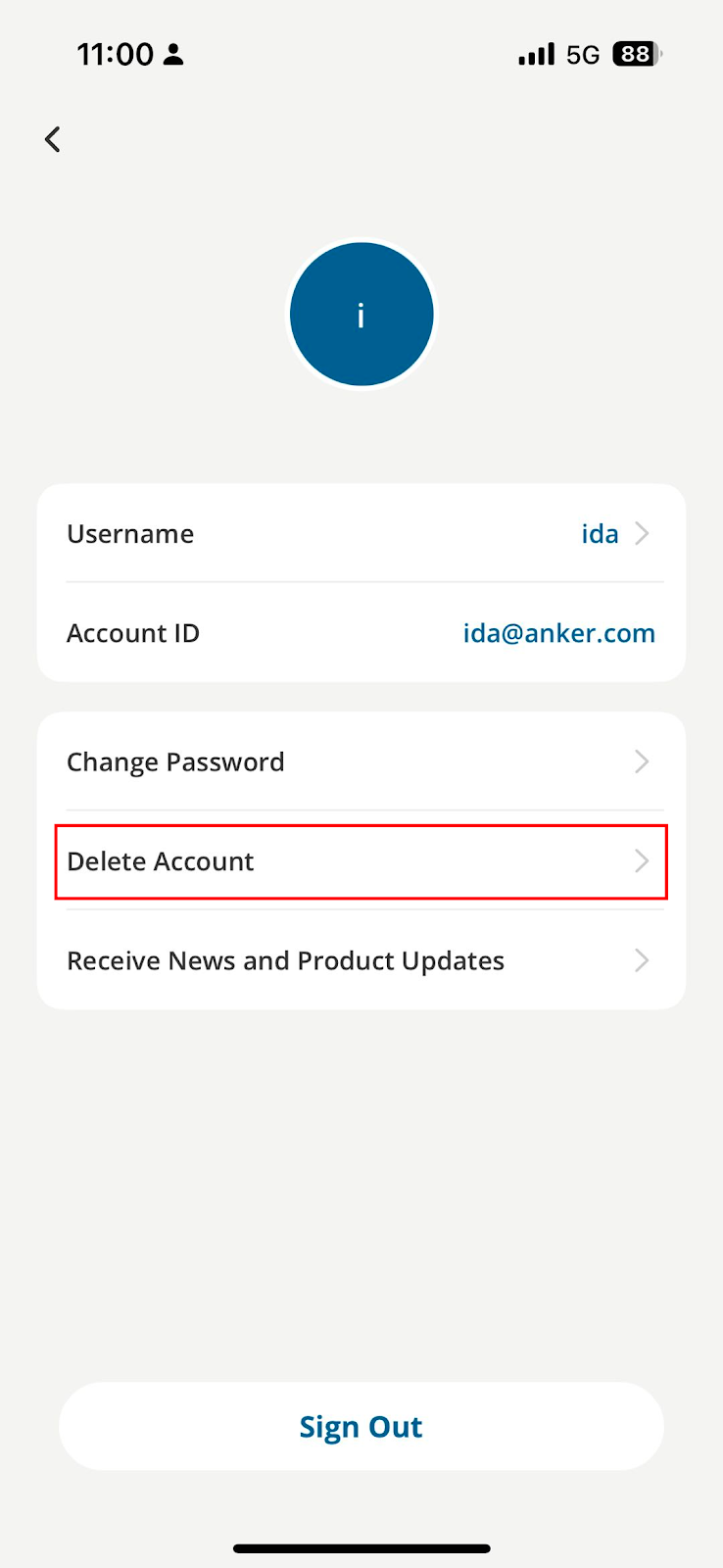
3. Click "Delete Account"


4. Please read the message carefully before clicking "Delete".


5. If you delete account, then:

  • Your account information will be deleted immediately.
  • All devices which are connected to this account will be disconnected and reset.
  • All devices' information will be deleted from the server immediately.
  • If subscribed to eufy's newsletter, you will be unsubscribed.


6. After the account is deleted, you will not be able to reactivate, restore any data, or regain access. If you want to use eufy Clean again, you need to create a new account.


If you have any other questions about the E25/E28 robot, please don't hesitate to contact us for further assistance.
Resolved
Unresolved icon
Unresolved
Copied
20 Results
Manuals & Downloads
Download icon
eufy Robot Vacuum Omni E25 User Guide (T2353)
Download
Download icon
eufy Robot Vacuum Omni E28 User Guide (T2352)
Download
Download icon
eufy Robot Vacuum Omni E25 取扱説明書 (T2353)
Download
Download icon
eufy Robot Vacuum Omni E25 用戶指南 (T2353)
Download
Download icon
eufy Robot Vacuum Omni E28 Benutzerhandbuch (T2352)
Download
Download icon
eufy Robot Vacuum Omni E28 מדריך למשתמש (T2352)
Download
View More
Support Videos
Play video
eufy Omni E28/Omni E25 How to Connect to Wi-Fi (iOS/Android)
Play video
eufy Omni E28/Omni E25 Mopping Troubleshooting Guide
Play video
eufy Omni E28/E25 How to Control Your Device via the App
Play video
eufy Omni E28 Portable Deep Cleaner Intro and Maintenance
Play video
eufy Omni E28/E25 Self-Empty Function and Troubleshooting
Play video
eufy Omni E28/Omni E25 How to Replace the Battery
View More