Details
Related Articles
Manuals & Downloads
Support Videos
What should I do if my Omni C20 triggers an audible "The water level of the station's cleaning tray is abnormal" error?

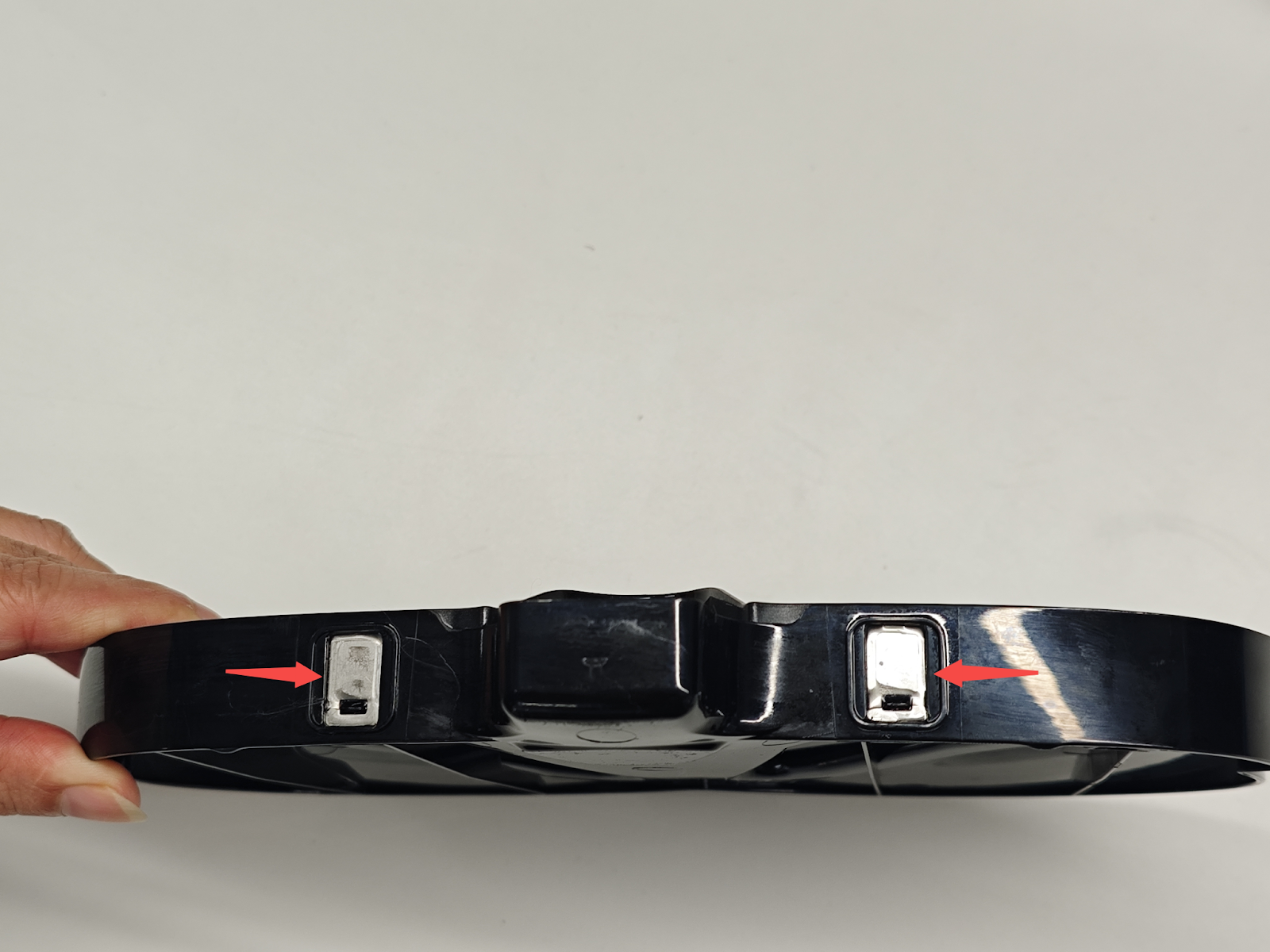
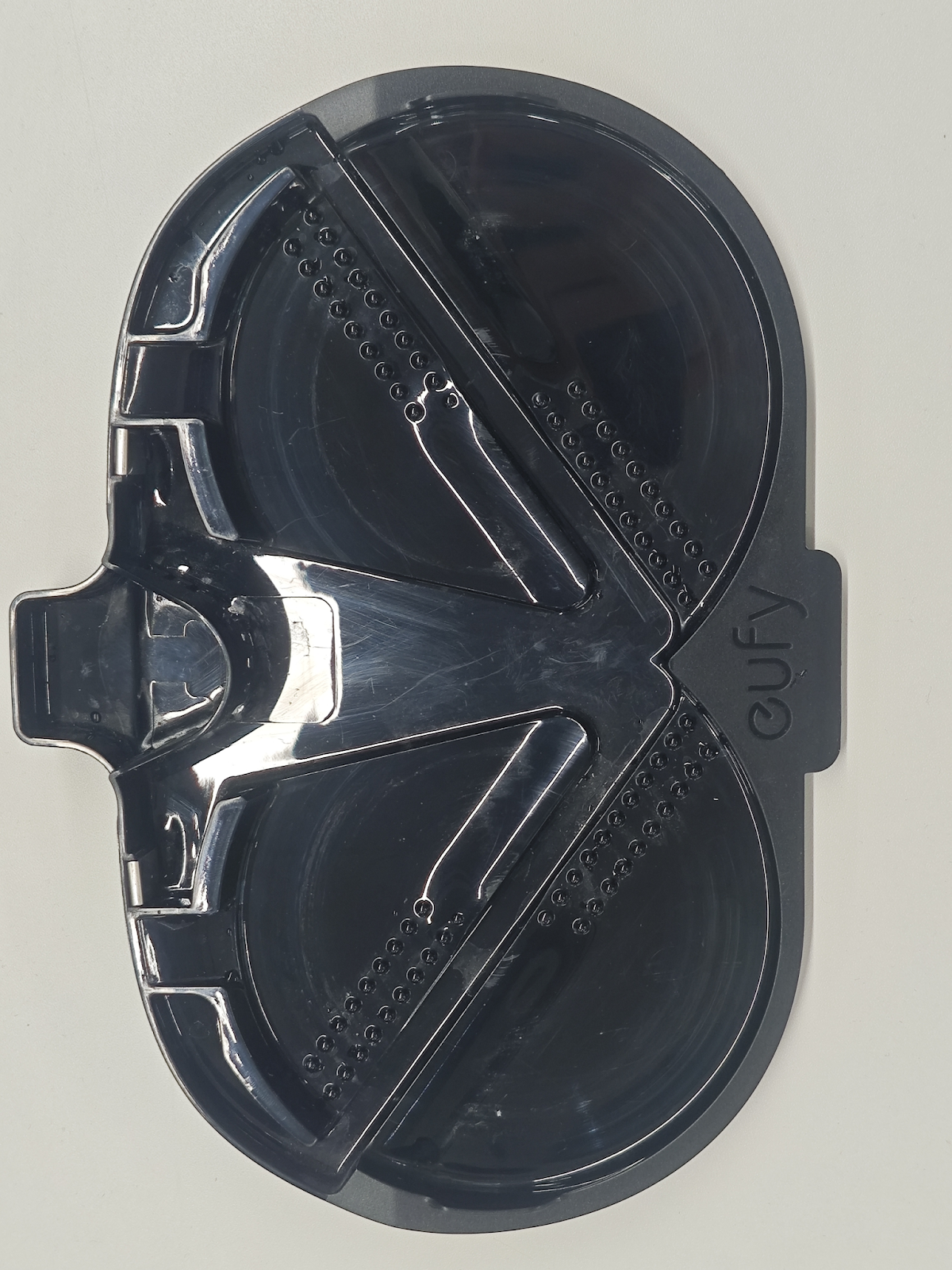
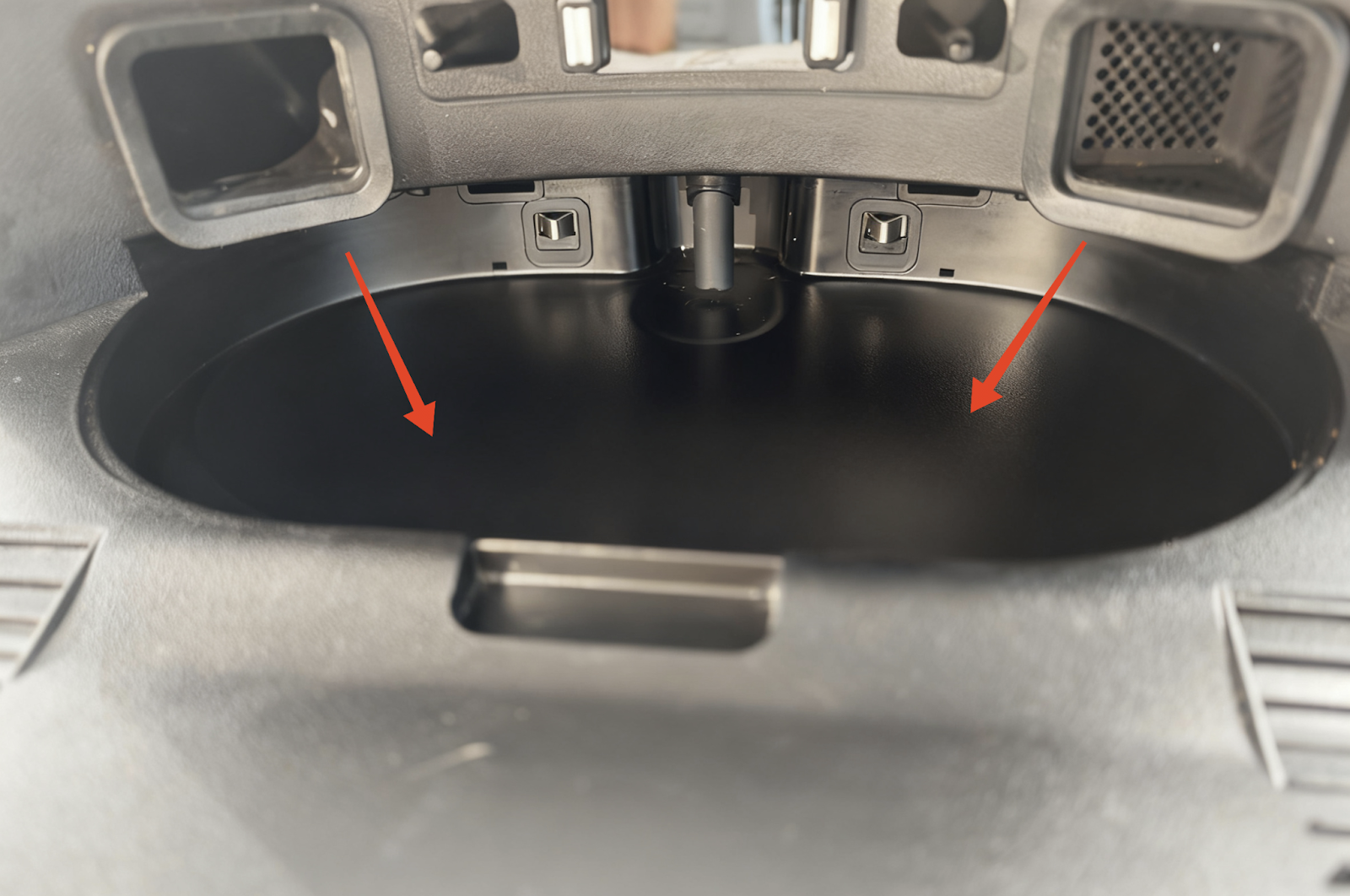
1. Check if the base station cleaning tray grid is blocked by mud and foreign objects, clean the cleaning tray and the installation area and wipe it dry, ensuring that the cleaning tray electrode and the installation area are dry.
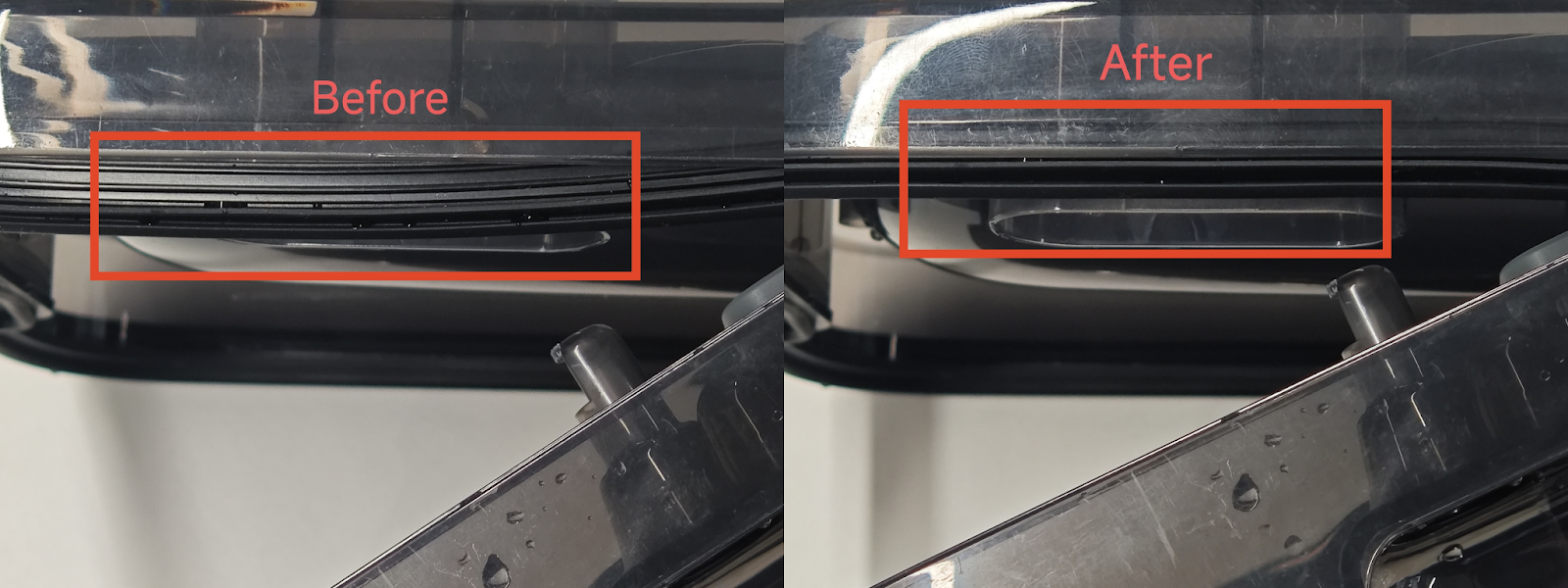
2. Check if there is any local collapse of the sealing ring of the dirty water tank. Manually pull the collapsed sealing ring outwards until it is flush with the other parts to restore normal operation.
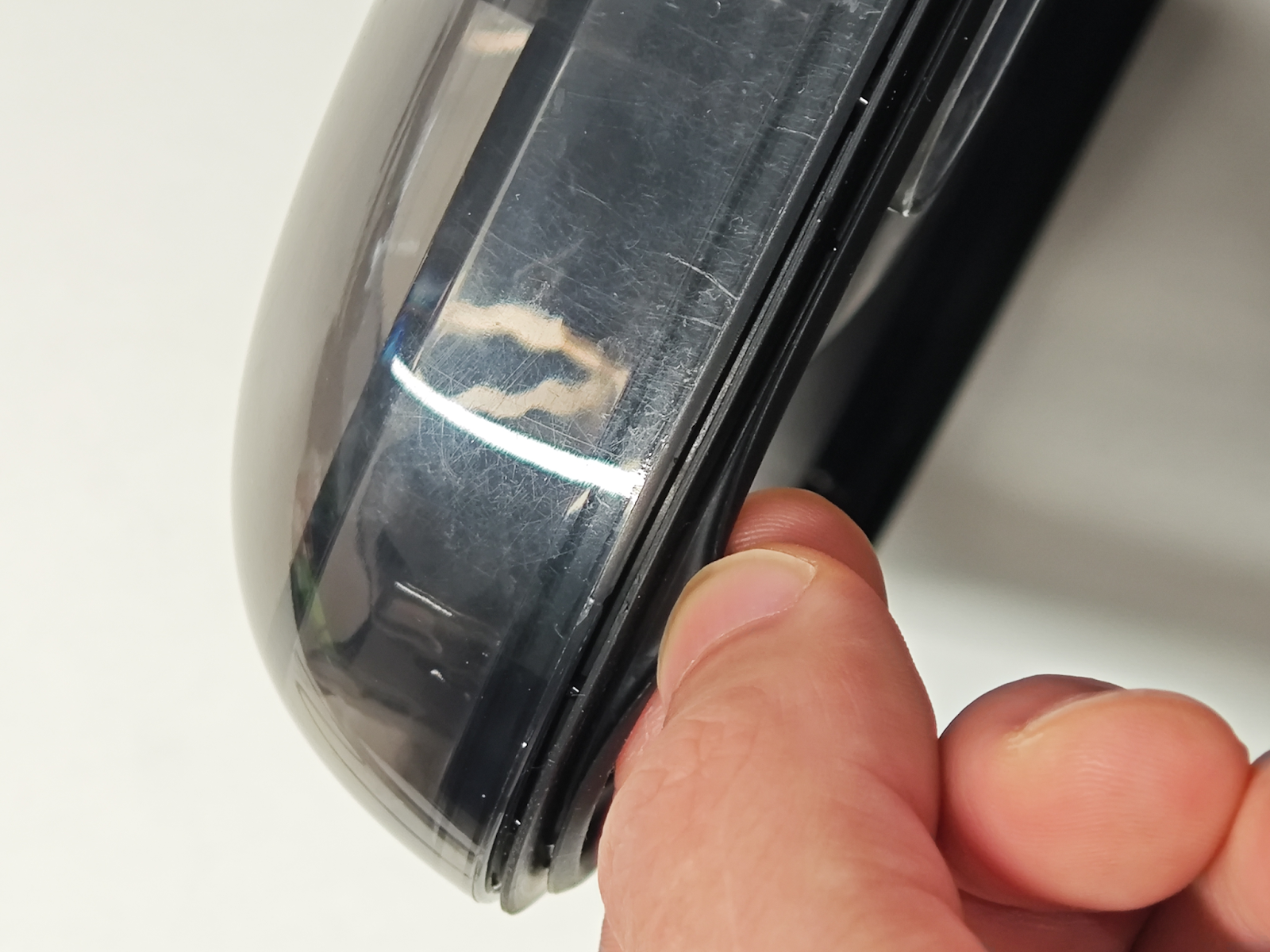
3. Check that the dirty water tank latch is securely fastened when installed on the base station.

4. If dirty water still does not drain, press down on the dirty water tank lid and try cleaning the mop in the app. If dirty water water can be drained successfully, this indicates a problem with the seal of the dirty water tank. Try removing and reinstalling the seal.

If the above troubleshooting suggestions are ineffective, please provide a photo of the cleaning tray at the time of the error for further analysis.

Resolved
Unresolved icon
Unresolved
Copied
20 Results
Manuals & Downloads
Download icon
eufy Omni C20 User Guide (T2280)
Download
Download icon
eufy Omni C20 Benutzerhandbuch (T2280)
Download
Download icon
eufy Omni C20 取扱説明書 (T2280)
Download
Download icon
eufy Omni C20 Guide de l'utilisateur (T2280)
Download
Download icon
eufy Omni C20 Guía del Usuario (T2280)
Download
Download icon
【T2280】【Robot Vacuum Omni C20】EU Declaration
Download
View More
Support Videos
Play video
eufy Omni C20: How to Replace the Battery
Play video
eufy Omni C20: How to Connect to Wi-Fi (iOS/Android)
Play video
eufy Omni C20: How to Control Your Device via the eufy Clean App
Play video
eufy Omni C20: Clean and Maintain the Accessories
Play video
eufy Omni C20:Troubleshooting the Auto Empty Function and Addressing Voice Alerts.
Play video
eufy Omni C20: Unboxing and Quick Start Guide Video