How to clean the residual water tray of Omni X12 Pro?
To clean the Residual Water Tray, please follow the instructions provided in the app. You can access them by navigating to Settings > More Settings > Accessory Services > Residual Water Tray.
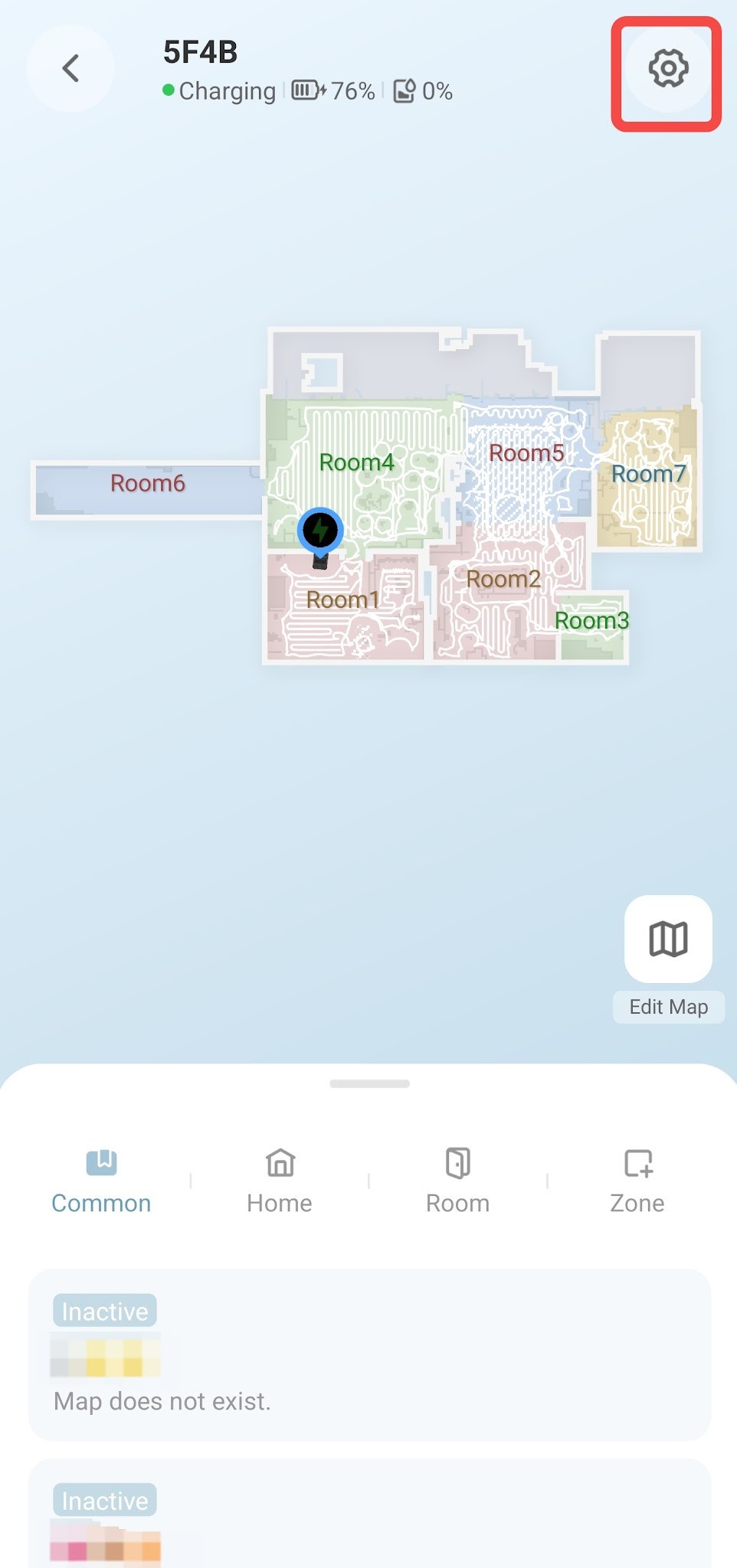
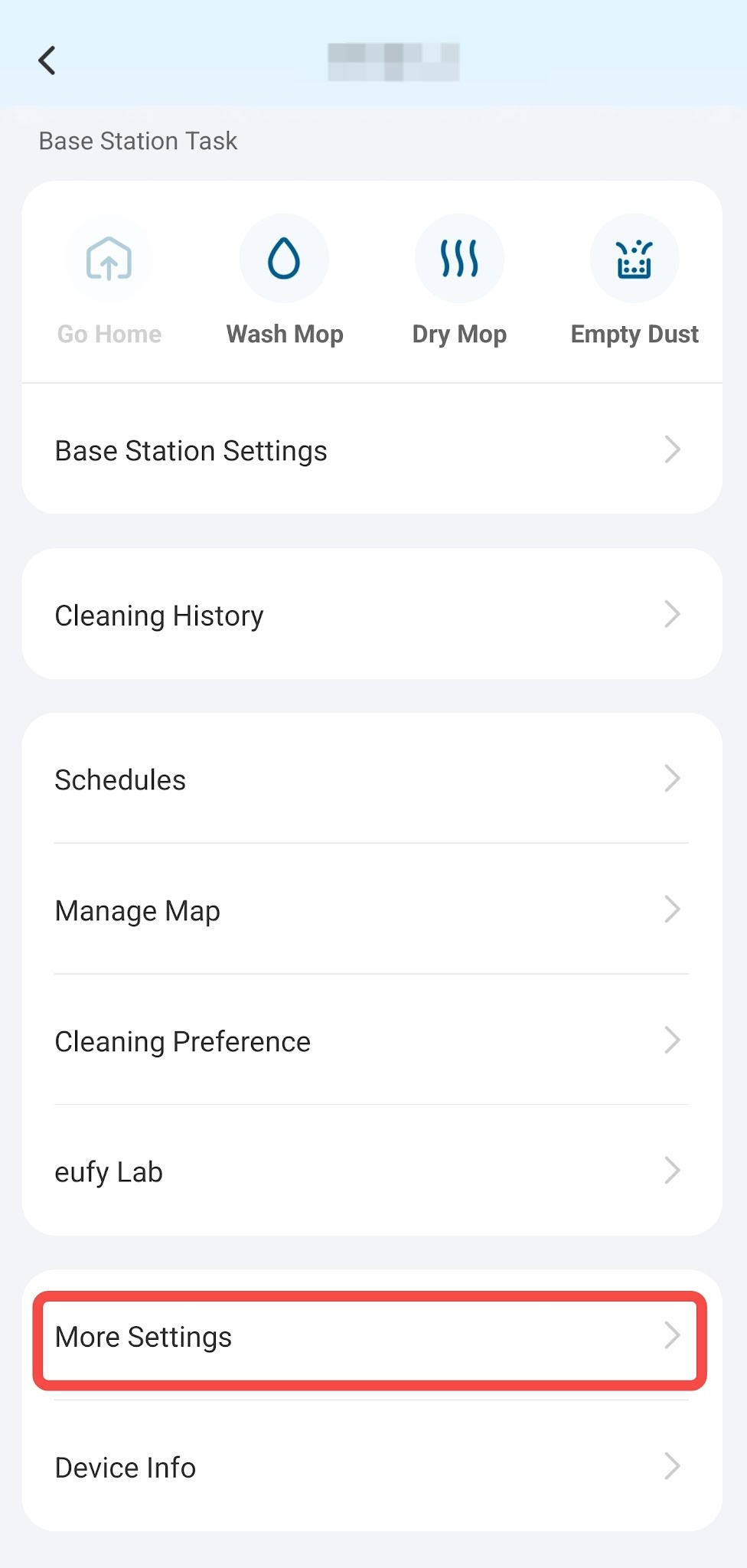
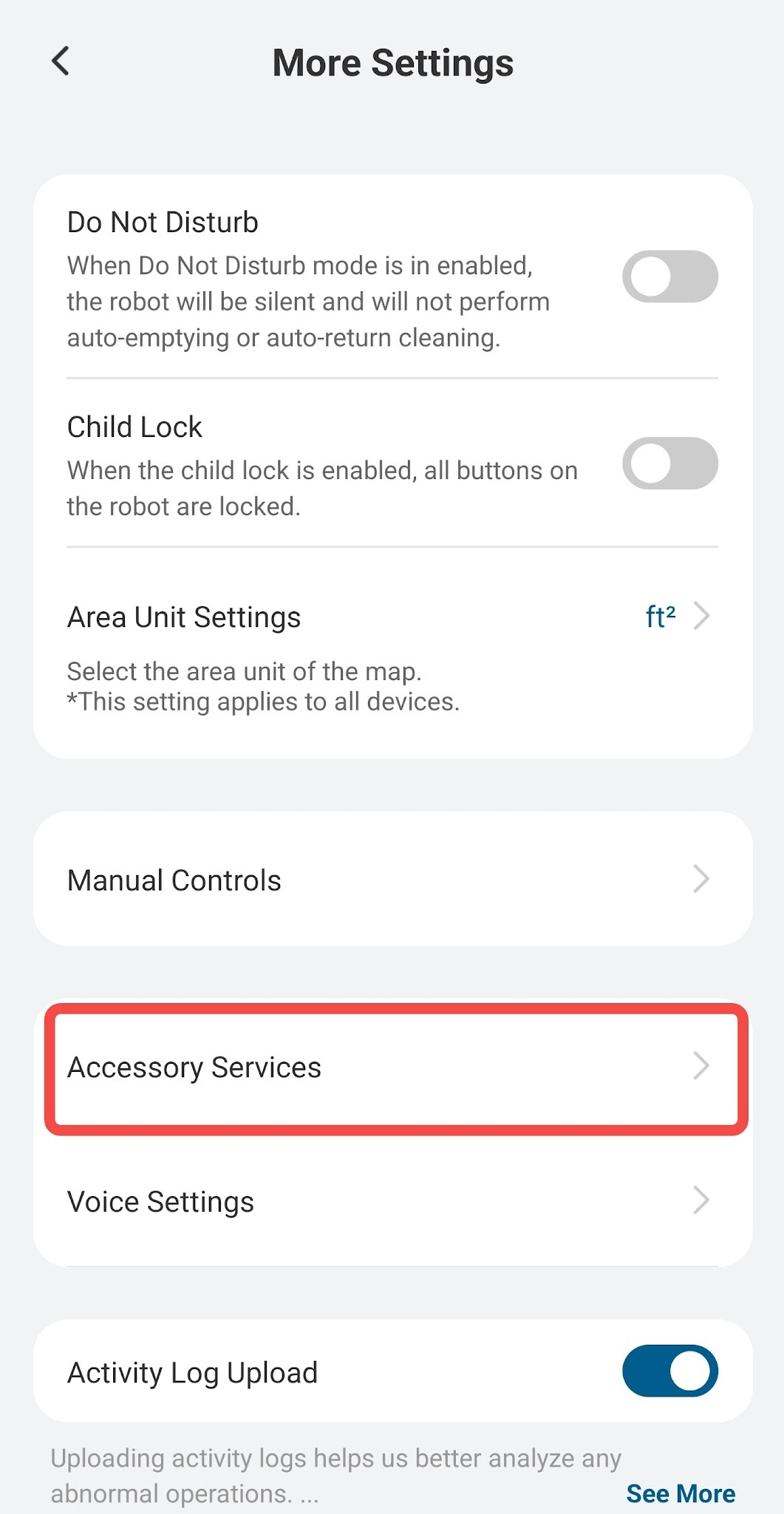
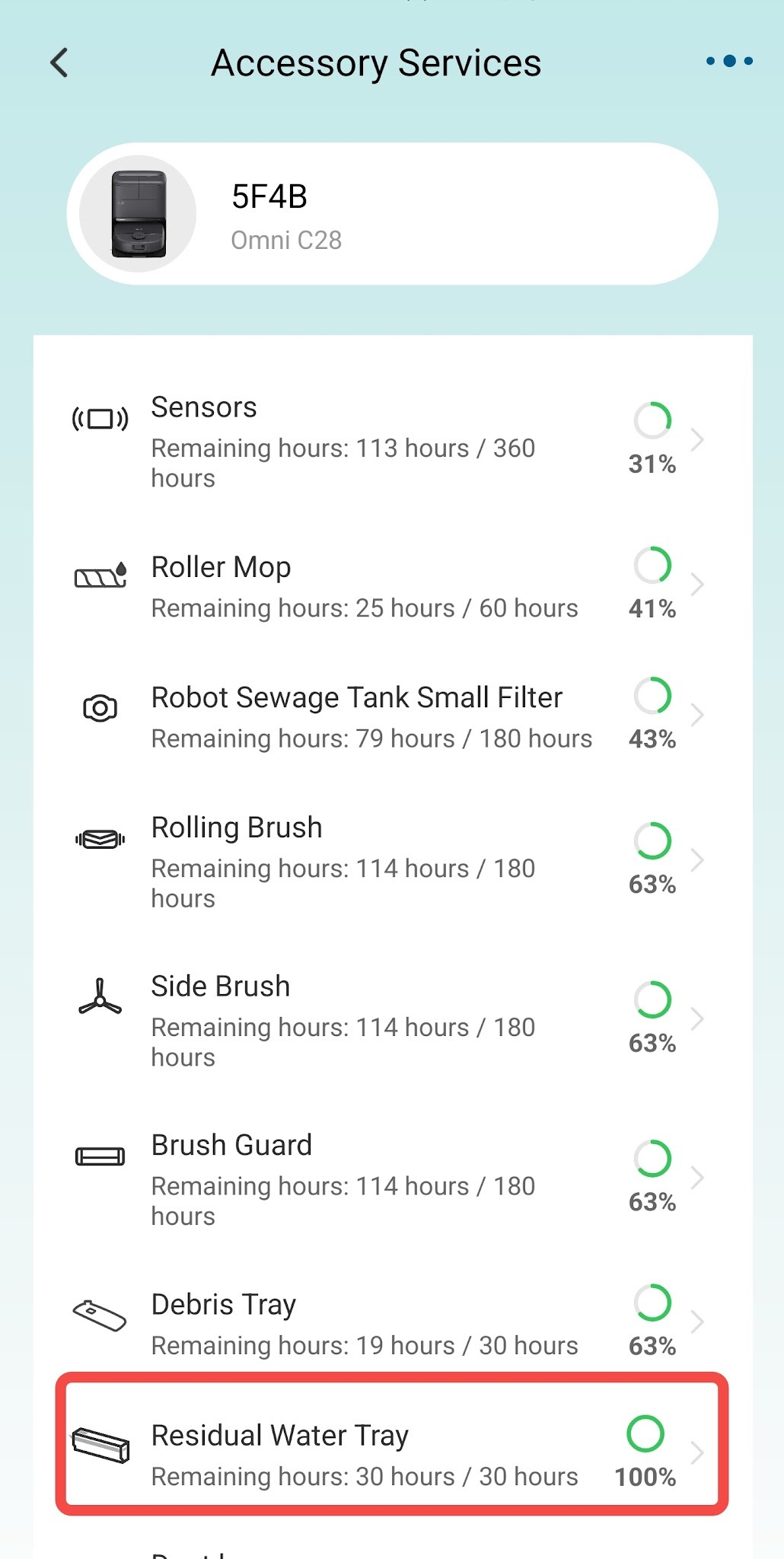
If you have any other questions regarding the Omni X12 Pro, please don't hesitate to contact eufy Support Center for further assistance.

Resolved

Unresolved
Copied
20 Results
What should I do if my Omni X12 Pro crashes into a wall or furniture while navigating?


What should I do if my Omni X12 Pro doesn't cross the threshold?
What should I do if Omni X12 Pro cannot effectively clean areas such as wall edges, corners, and recessed furniture edges?
How Can I Optimize Omni X12 Pro's Cleaning Performance?
How Can I Optimize Omni X12 Pro's Mopping Performance?
Omni X12 Pro Robot Vacuum: Smart Home Compatibility
Omni X12 Pro Robot Vacuum: Drying Function Overview
Can Omni X12 Pro be used with cleaning solution?
View More
Manuals & Downloads

eufy Omni X12 Pro User Guide (T211AV11)
Download
Support Videos

eufy Omni X12 Pro Unboxing and Quick Start Guide Video
eufy Omni X12 Pro Cing and Maintaining Accessories
eufy Omni X12 Pro How to Connect to Wi-Fi (iOS/Android)
eufy Omni X12 Pro How to Control Your Device via the eufy App
eufy Omni X12 Pro How to Replace the Battery
eufy Omni X12 Pro Troubleshooting Mop Cleaning Alerts
View More


